
Importing contacts is not required to send your first test message using Direct Message.You can return to this step when you’re ready to organise contacts or prepare a Campaign.
When should you add contacts?
You may want to import contacts when you need to:- Prepare a list of recipients for a Campaign.
- Organise customer information in Kero.
- Use contact details and additional fields to personalise messages.
- Prepare contacts for audience segmentation.
Import contacts into Kero
1
Prepare your contact file
Create a CSV or XLSX spreadsheet containing the contacts you want to import.Use clear column headings so you can identify and map your data during import.Make sure the recipient phone numbers and other contact information are accurate.
2
Open Contacts
3
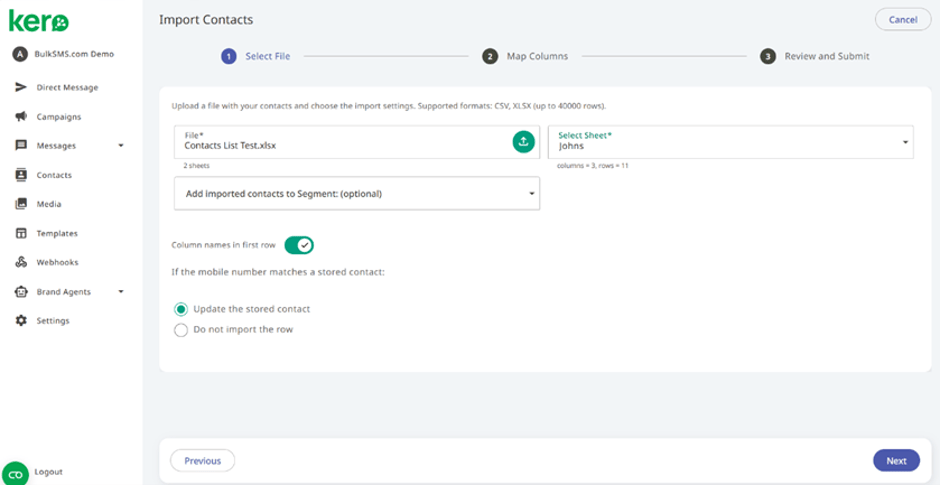
Upload your spreadsheet
Select your CSV or XLSX file.Kero identifies the available rows and columns so you can review the information being imported.
4
Map your contact fields
Match the columns in your spreadsheet to the appropriate Kero contact fields.Check that mobile numbers and any additional information are mapped correctly.
5
Review and complete the import
Review your contact information before submitting the import.Complete the import using the options provided in the wizard.