
Before you begin
Make sure you have:- Set up your chosen messaging channel in Kero.
- A mobile number you can use to receive your test message.
- Prepared your message content or selected an appropriate template, where required.
- Completed any channel-specific requirements for testing.
Being able to send a test message does not necessarily mean your channel is approved for live customer messaging.WhatsApp Business and RCS for Business have additional requirements that may affect who you can message and when.
Send a message using Direct Message
1
Open Direct Message
Sign in to Kero and open Direct Message from the navigation menu.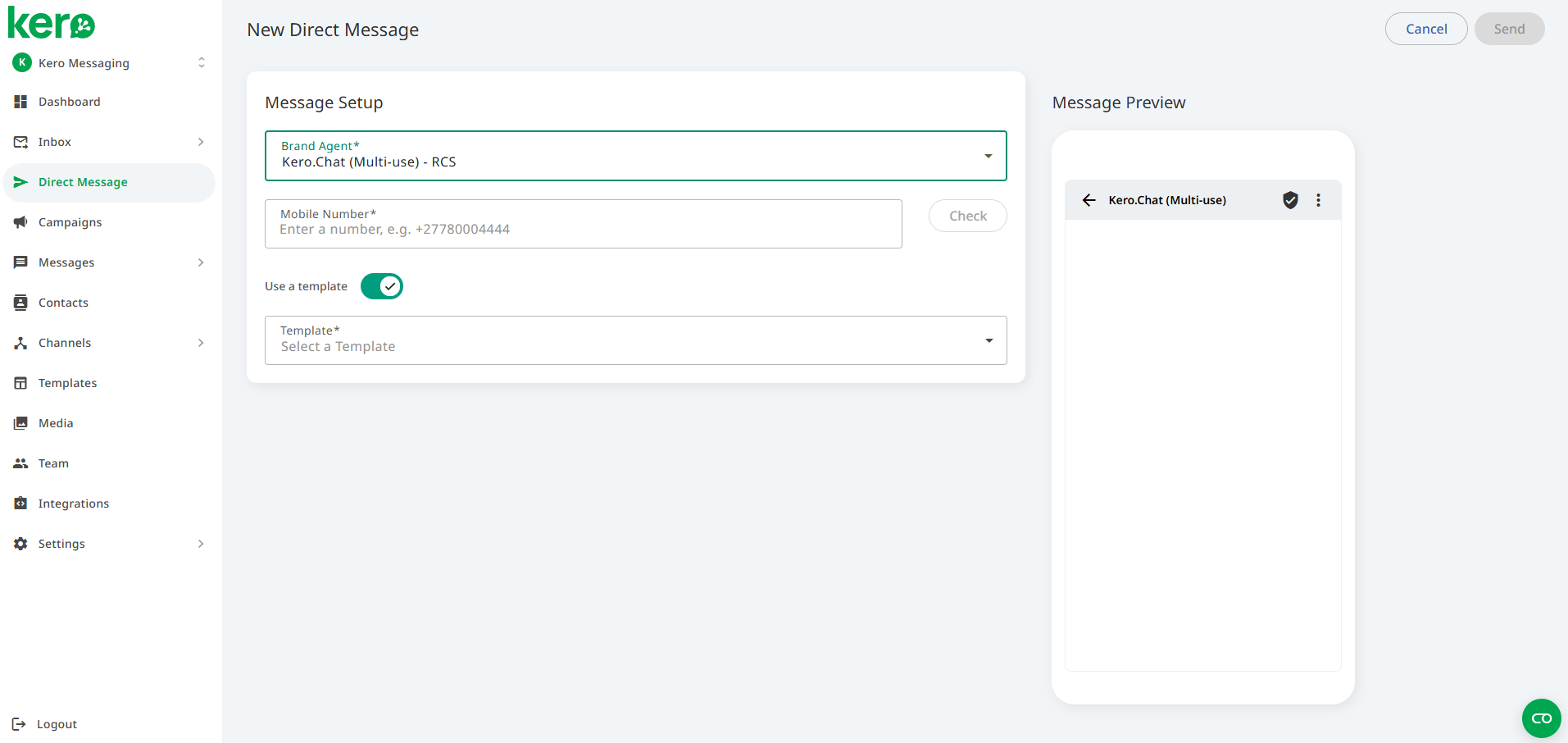
2
Choose your messaging channel
Select the available Agent or Template for the messaging channel you want to test. The options displayed depend on your configured channels and message type.Depending on your channel, you may need to select a configured Agent or an existing Kero Template.
3
Enter your test recipient
Enter the mobile number of the person receiving your test message.For RCS for Business, use a test device that has been added to your Agent while it is still in testing.
4
Prepare and send your message
Compose your message or select the required template.If your template contains personalisation variables, check that the correct values have been provided.Review the recipient and message details, then send your test message.
5
Check the result
Check the receiving device to confirm that the message has arrived.You can also review the available message status and history in Kero.If the message does not arrive, check the selected Agent, recipient number, template requirements and channel readiness.
Testing requirements by channel
For more information about setting up and testing each channel, see:
Can you test using a Campaign?
Yes. Campaigns are useful when you want to test messaging with multiple recipients or check how contact data and personalisation work together.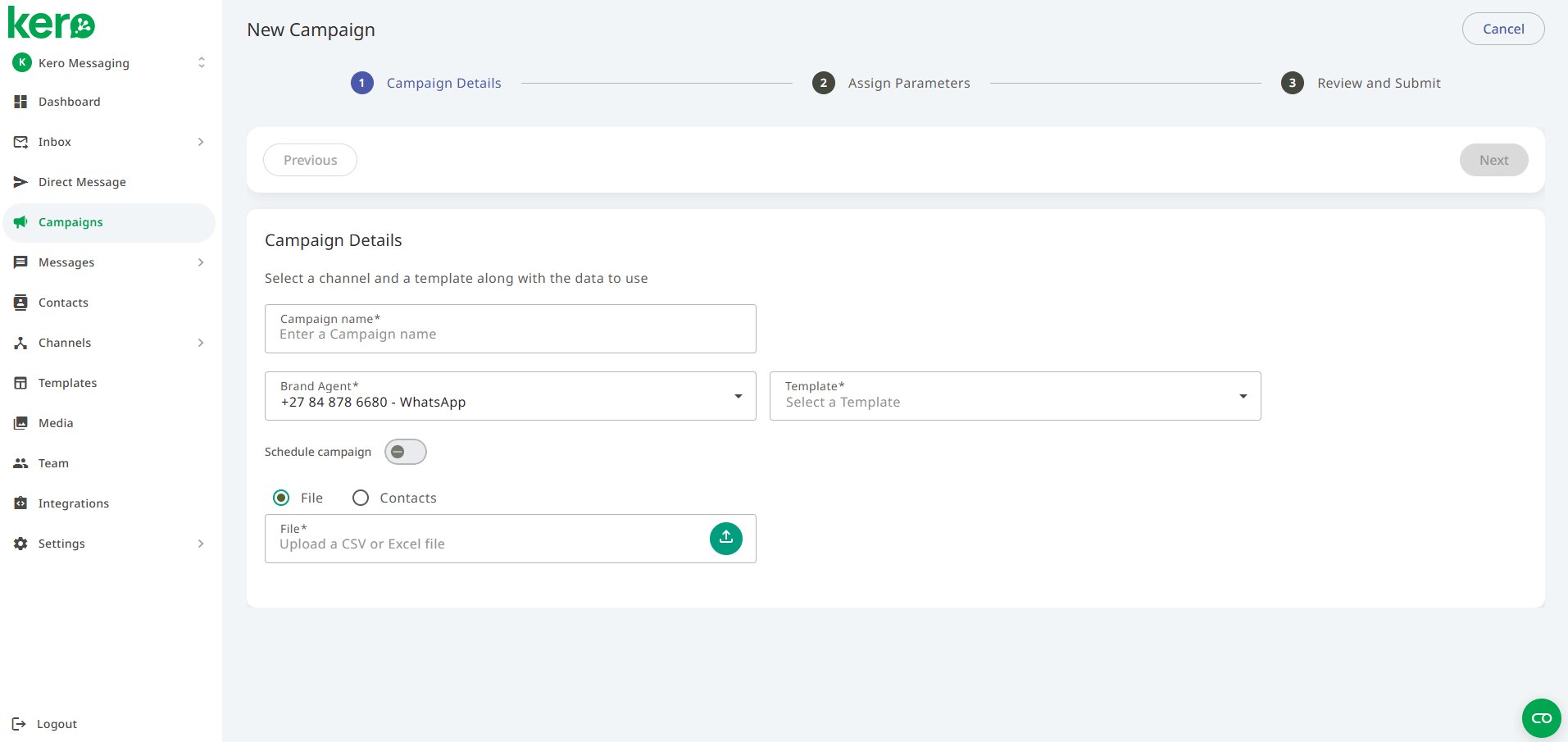
What happens next?
Once you’ve successfully sent your test message, the next step is to confirm whether your messaging channel is ready for live customer communication.A successful test does not always mean you’re ready to go live.SMS, WhatsApp Business and RCS for Business have different approval and operational requirements.