
Before you begin
Have the following information ready:- Your business email address.
- Your company’s official website URL.
- Your mobile number.
- A strong password.
Use your business email address and official website details. These help Kero associate your account with your business.Additional business verification may be required when setting up WhatsApp Business or RCS for Business.
Register your account
1
Open the registration page
Go to Kero registration.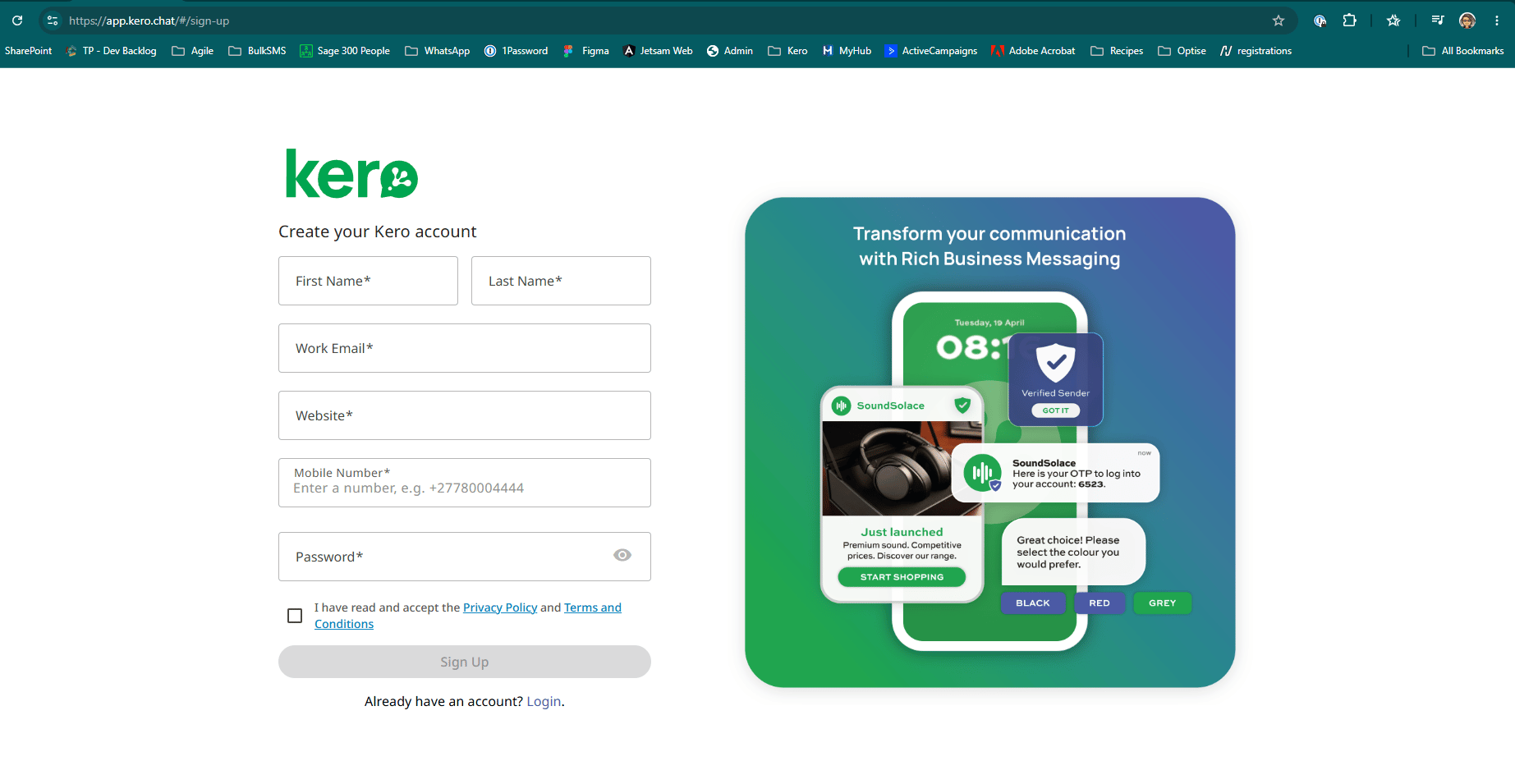
2
Complete your details
Enter the requested information.
Enter your mobile number with a
+ followed by the country code and number, without spaces, brackets or dashes.Example: +277800044443
Review the legal agreements
Before registering, review Kero’s:Select the checkbox confirming that you’ve read and accepted the Privacy Policy and Terms and Conditions.
4
Submit your registration
Click Sign Up to create your Kero account.
The Sign Up button remains disabled until you’ve accepted the Privacy Policy and Terms and Conditions.
What happens next?
After submitting your registration, check your inbox for the verification code sent by Kero. Enter the code on the verification screen and select Verify. Once your email is verified, you can access your Kero account and proceed with setting up your billing account.Creating a Kero account does not automatically verify your business with Meta, Google or mobile network operators. Any required channel-specific verification happens during the relevant channel setup process.