
Before you begin
Make sure that:- The contact exists in your Kero account.
- The contact has a valid mobile number.
- You have a messaging channel configured for the communication you want to send.
- You have the appropriate consent or other lawful basis to contact the recipient.
Available messaging options depend on your configured Agents, the recipient’s channel availability and any applicable messaging restrictions.For example, WhatsApp may require an approved message template when contacting a recipient outside an active customer service window.
Start a conversation
1
Open Contacts
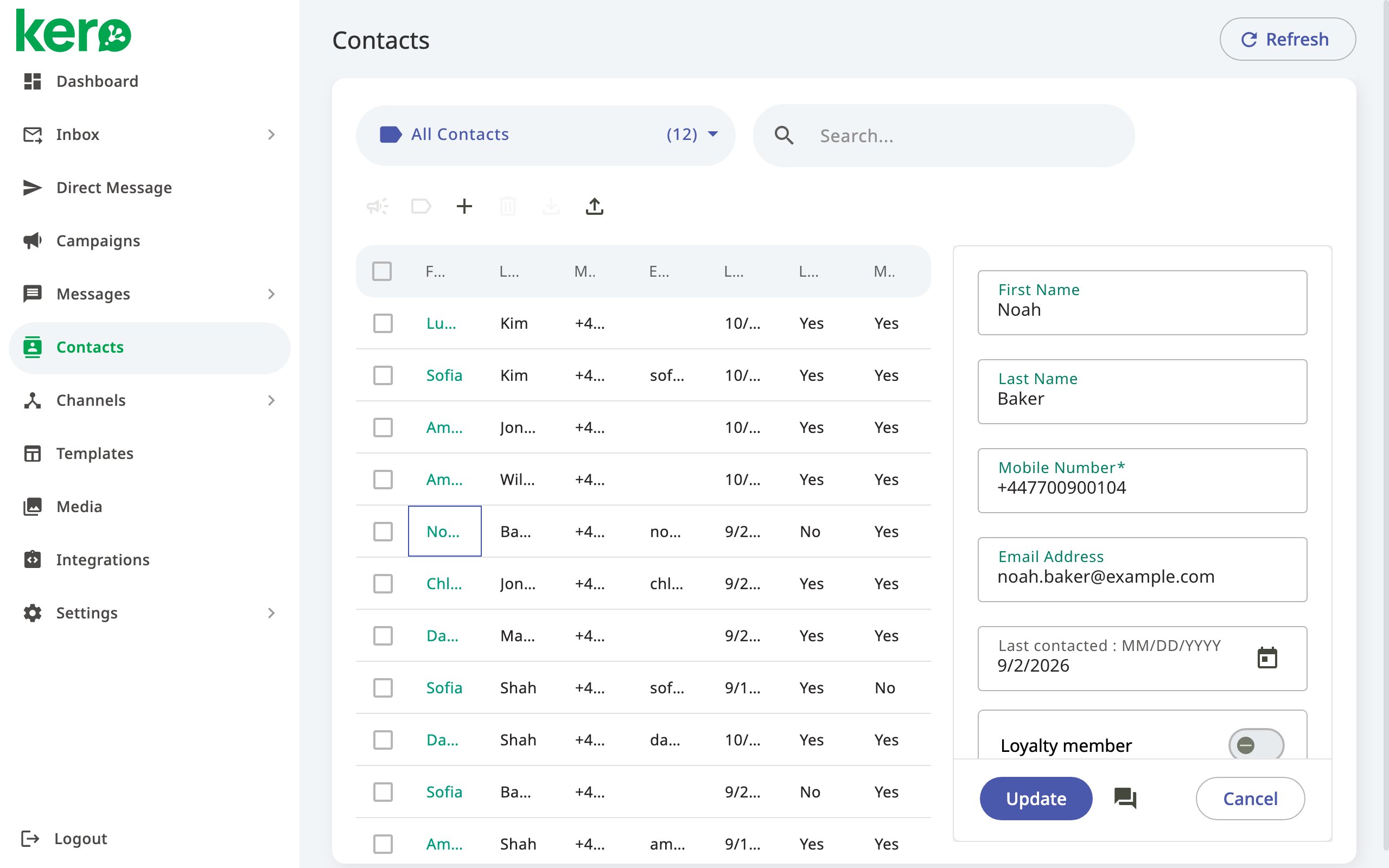
From the Kero navigation menu, select Contacts.
2
Find your contact
Use Search to locate the contact you want to communicate with.You can search using the contact’s name, mobile number or email address.
3
Open the contact details
Click the contact to open their details in the panel on the right-hand side of the Contacts page.
4
Open the conversation
Click the conversation icon in the contact details panel, next to Update.Kero opens the conversation in the Inbox.
5
Continue in the Inbox
Review the conversation and use the available messaging options to communicate with the contact.The messages you can send depend on the configured channel and any applicable messaging requirements.
If you cannot send a message
Opening a contact’s conversation does not necessarily mean that every messaging channel is available for sending. If you cannot send a message, check the following:- Channel configuration — Make sure the relevant messaging Agent is configured and available.
- Recipient availability — The contact must be reachable through the intended channel.
- WhatsApp messaging rules — An approved WhatsApp template may be required to initiate or resume a conversation.
- SMS destination requirements — Some destinations require sender registration or approval before messages can be sent.
- Contact details — Check that the recipient’s mobile number is correct.
If a messaging channel is unavailable, check its configuration and sending requirements before trying again.